


New article
Recently updated
🧠 Configuration of Platform

Who is this article for?Administrators who need to manage platform-wide settings and preferences for their organisation’s Damstra Learning account.
Admin access and Configuration Management permissions are required.
This article explains how to access and configure general platform settings in Damstra Learning, including lesson preferences, account options, and user interface customisation.
📌 What it is
The Platform tab under Admin > Configuration > Platform allows administrators to manage global settings that affect all users and lessons across the Damstra Learning platform.
🚀 Why it matters
These settings define how your organisation’s Damstra Learning environment looks, behaves, and interacts with users. Proper configuration ensures consistency, branding alignment, and operational efficiency.
🔑 Key points
General settings
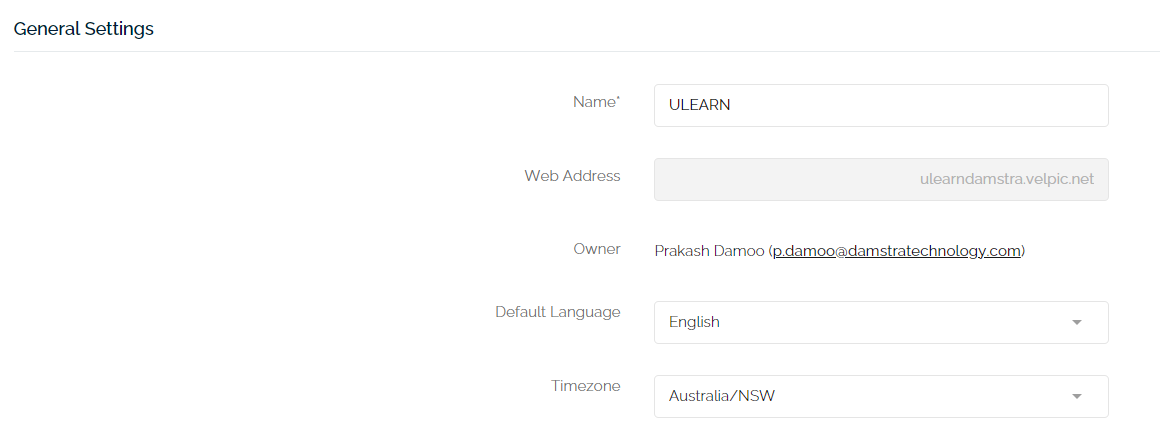
- Name: Custom name displayed in the top-left corner of the platform (e.g., your organisation name or a branded title).
- Web Address: Your organisation’s custom Damstra Learning URL (e.g., http://myteam.velpic.net). Contact support to request changes.
- Owner: The primary account owner.
- Default Language: Language used across all accounts.
- Timezone: Default timezone for all users.
Lesson settings
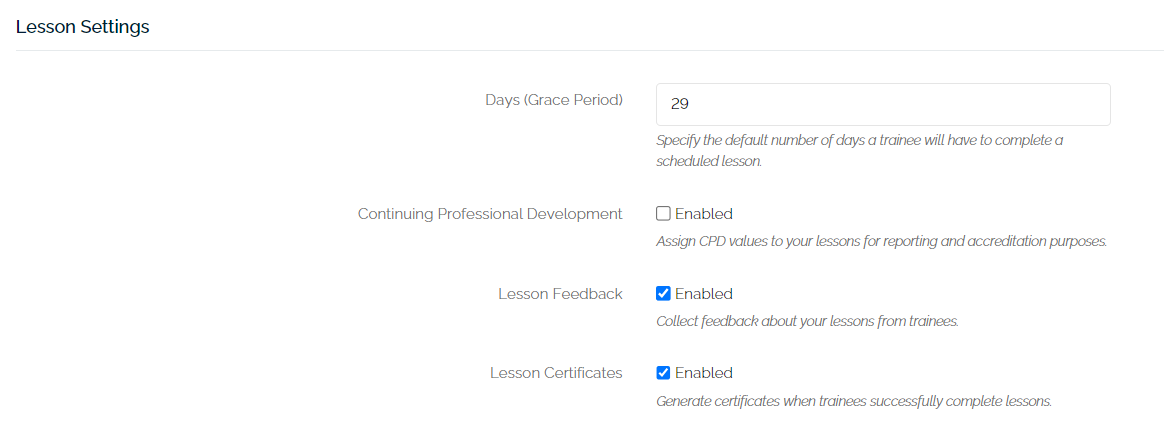
- Grace Period (days): Number of days trainees have to complete a lesson after it becomes due.
- Continuing Professional Development (CPD): Enables CPD tracking for lessons. Refer to the CPD setup article for details.
- Lesson Feedback: Adds a comment box and rating system for trainees to provide feedback after completing lessons.
- Lesson Certificates: Allows trainees to download certificates upon successful completion. You can also manage certificate settings per lesson.
Account settings

- Enable Logout Redirect: Lets you specify a custom URL to redirect trainees to after logout.
User interface

- Customise the design and branding of the Damstra Learning platform for all users. For detailed steps, refer to the help article on branding customisation.
❓ FAQs
-
Can I change the web address myself?
No, you’ll need to contact Damstra Learning support to request a change. -
Can I apply different settings for different user groups?
Platform settings apply globally. For group-specific configurations, use lesson or user-level settings. -
Is certificate generation automatic?
Yes, if enabled. You can also manually control it per lesson.